Two-Way FreeBusy & Guardrails
Personal events on your Google Calendar™ block customer slots automatically. Enforce buffer minutes, daily lunch breaks, minimum advance notice, closed holidays, and server-side concurrency locks.
Accept 1-on-1 appointments, group bookings, and whole-day room reservations from one short link. Start with a 30-day free Pro trial, keep 1-on-1 slots free forever, or unlock Pro Lifetime once for 350 PHP / 7 USD.
30-day free Pro trial · No credit card required · Direct Google Calendar™ sync
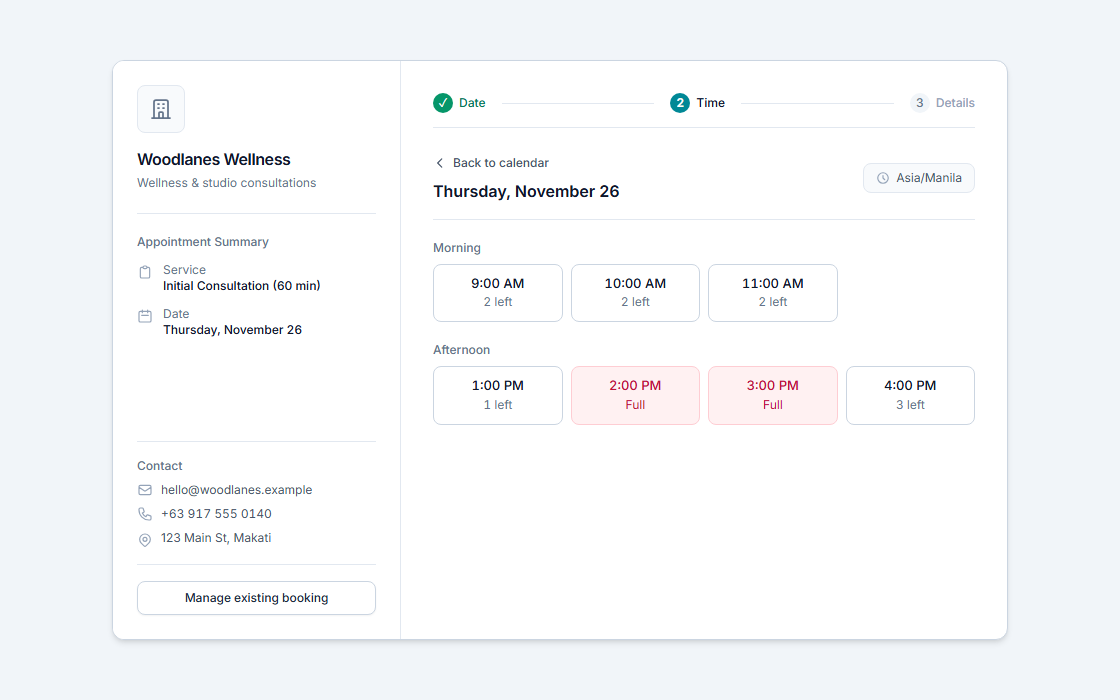
Replace manual Messenger, WhatsApp, and email scheduling threads with real-time slot protection and self-service booking management.
Personal events on your Google Calendar™ block customer slots automatically. Enforce buffer minutes, daily lunch breaks, minimum advance notice, closed holidays, and server-side concurrency locks.
Run 30 or 60-minute consultations with group guest capacity (pax), or switch to Whole-Day mode for conference rooms, studios, equipment, and tour schedules.
Upload your QR PH, GCash, Maya, or bank QR once. Clients copy their BK-XXXXXX booking reference and send payment proof directly to your chat or social link.
Let clients select a specific team member or balance appointments round-robin across staff Google Calendars with per-staff FreeBusy conflict checks.
Send branded booking emails, 24-hour and 2-hour reminders, Google Calendar / .ics invites, and tokenized cancel or reschedule links governed by your policy.
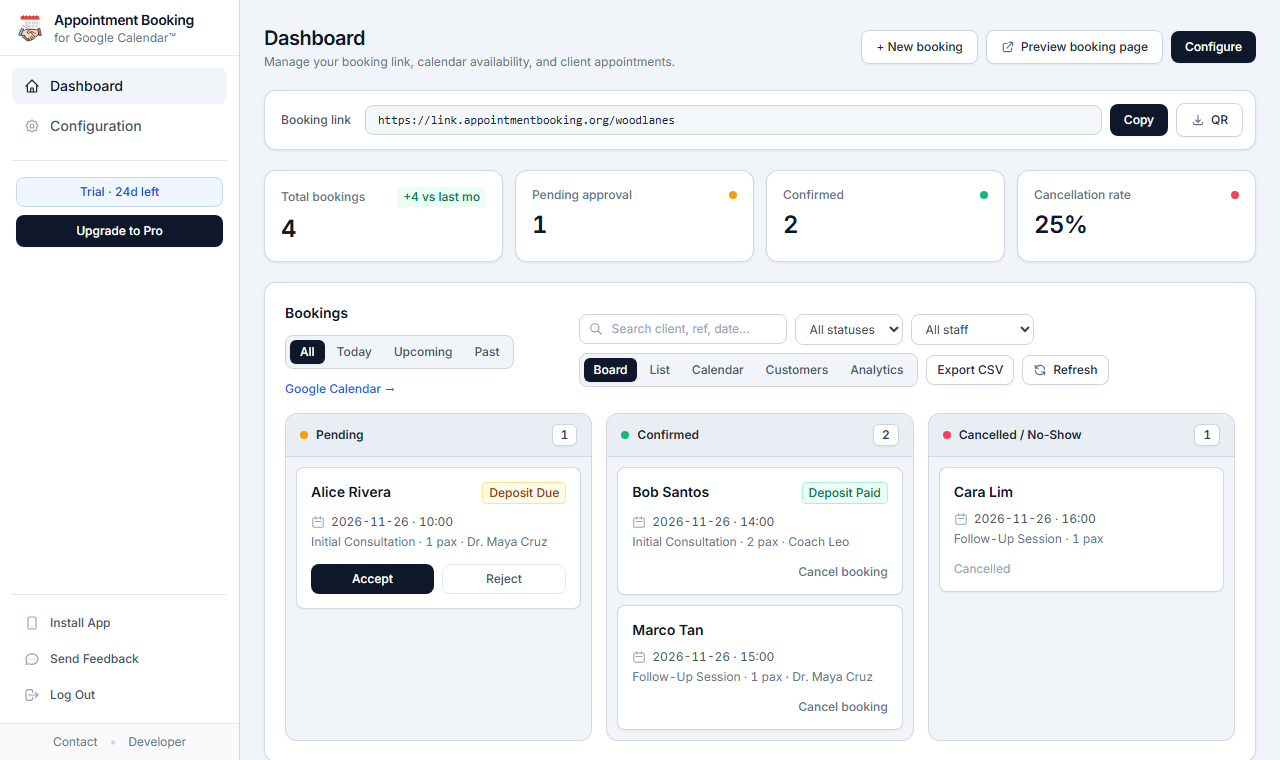
Get a customizable link.appointmentbooking.org/<slug> URL and QR code, track link clicks alongside booking conversions, and capture waitlists when dates fill up.
Review pending requests, inspect intake answers, mark QR deposits paid, and track repeat visitors across Board, List, Calendar Agenda, Customer Directory, and Analytics views.
Try every Pro capability for 30 days first. Keep using 1-on-1 scheduling free forever, or upgrade once for life.
link.appointmentbooking.org/slug)pax)Yes. Upgrade once via HitPay (350 PHP via QR PH or 390 PHP / 7 USD via Credit or Debit Card) with zero recurring monthly or per-seat subscription fees.
Nothing is deleted. Your account transitions cleanly to the Free Plan so existing bookings, 1-on-1 timeslot scheduling, Google Calendar sync, and email notifications keep working.
No. The public booking page calls an anonymized availability endpoint returning open slot counts only, while two-way FreeBusy blocking hides event titles and details.
Upload your payment QR image in Configuration and add your Messenger, WhatsApp, or Instagram link. Clients see your QR code and their BK-XXXXXX booking reference on the confirmation receipt and send proof straight to your chat, where you mark the booking Paid in one click.